Sight-reading practice on your keys

The sight-reading trainer that hears every note you play

QuickClef writes a new piece of sheet music every time you press play, then listens through your MIDI keyboard while you read it. Wrong notes turn orange. Late notes get called out. A backing band keeps time, and there's nowhere to hide.

Start your 7-day free trial

Sign in with Google · cancel anytime · works with any USB-MIDI keyboard

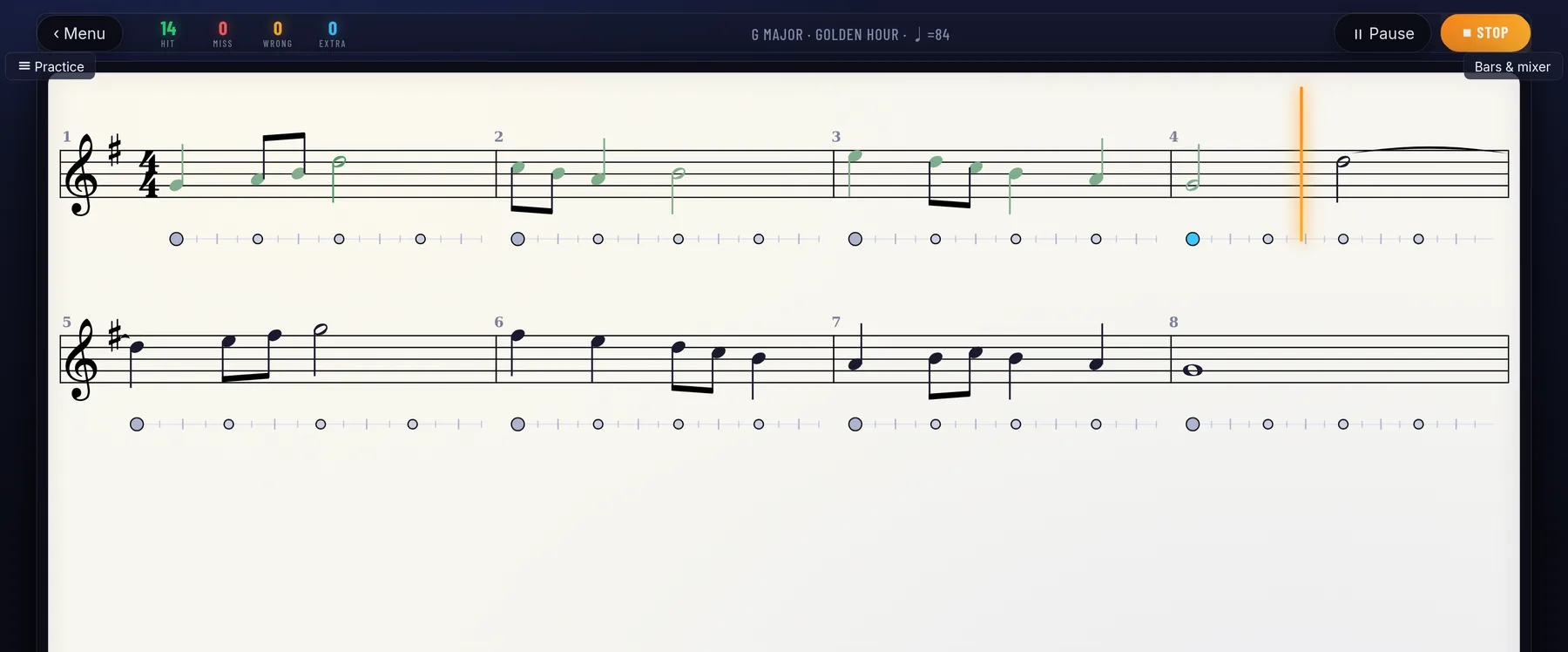
QuickClef practice screen: grand-staff sheet music with note-name discs, chord symbols, real-time hit/miss counters and an on-screen piano keyboard

How it works

From zero to your first exercise in about a minute

1

Connect your keyboard

Any digital piano with a USB cable works, in the browser, on Windows, Mac, Linux or Android. Run the 20-second calibration once so the timing scores match what you actually hear.

2

Get a fresh exercise

Pick a key, the rhythms, the range, chords or melody. Or just climb the levels. The music is generated new every time, so you can't memorize it. That's the point.

3

Play against the band

Drums and chords keep time while the needle moves across the score. Each note you play gets marked green, orange or red before you've reached the next one. Pitch and rhythm both count.

Features

What you get

Every note gets a verdict

One judging engine covers melodies, chords, two-hand pieces and rhythm tapping. Octaves matter, timing matters, and your audio latency is measured and compensated rather than ignored.

Actual sheet music

Properly engraved notation, not a scrolling piano roll. Key signatures, beams, ties, accidentals, a grand staff when the music needs one, and page turns that wait until you've played the bar.

Clues you can turn off

Note names printed inside the noteheads. Highlighted accidentals. An auto-play guide, a wait-for-me mode, section looping, slow-down. Use them while they help and drop them when they don't.

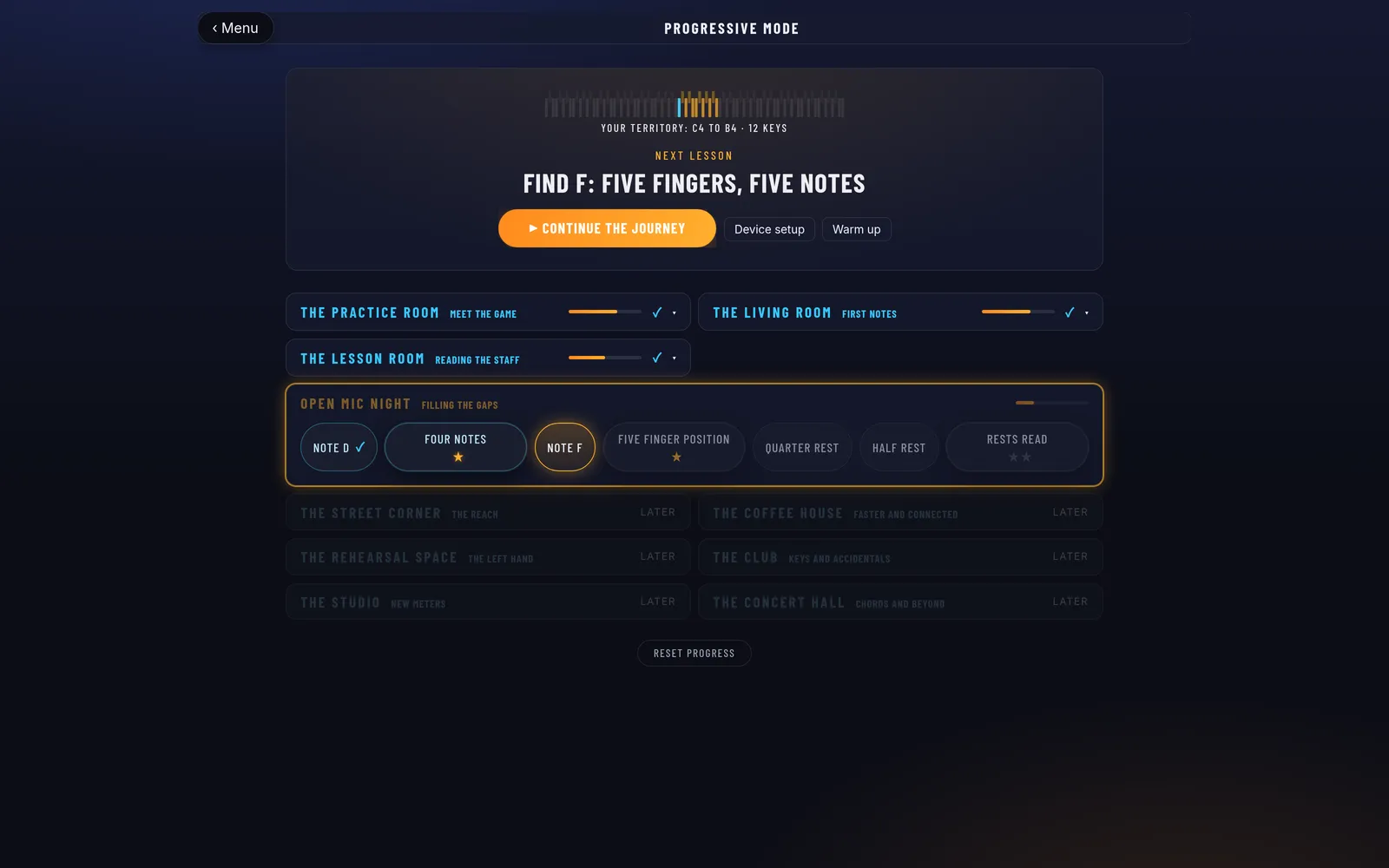
Twelve levels

Level one is five notes with no ledger lines. Level twelve is two hands with a moving bass. Pass each one to unlock the next.

QuickClef level ladder showing passed, current and locked levels with best scores

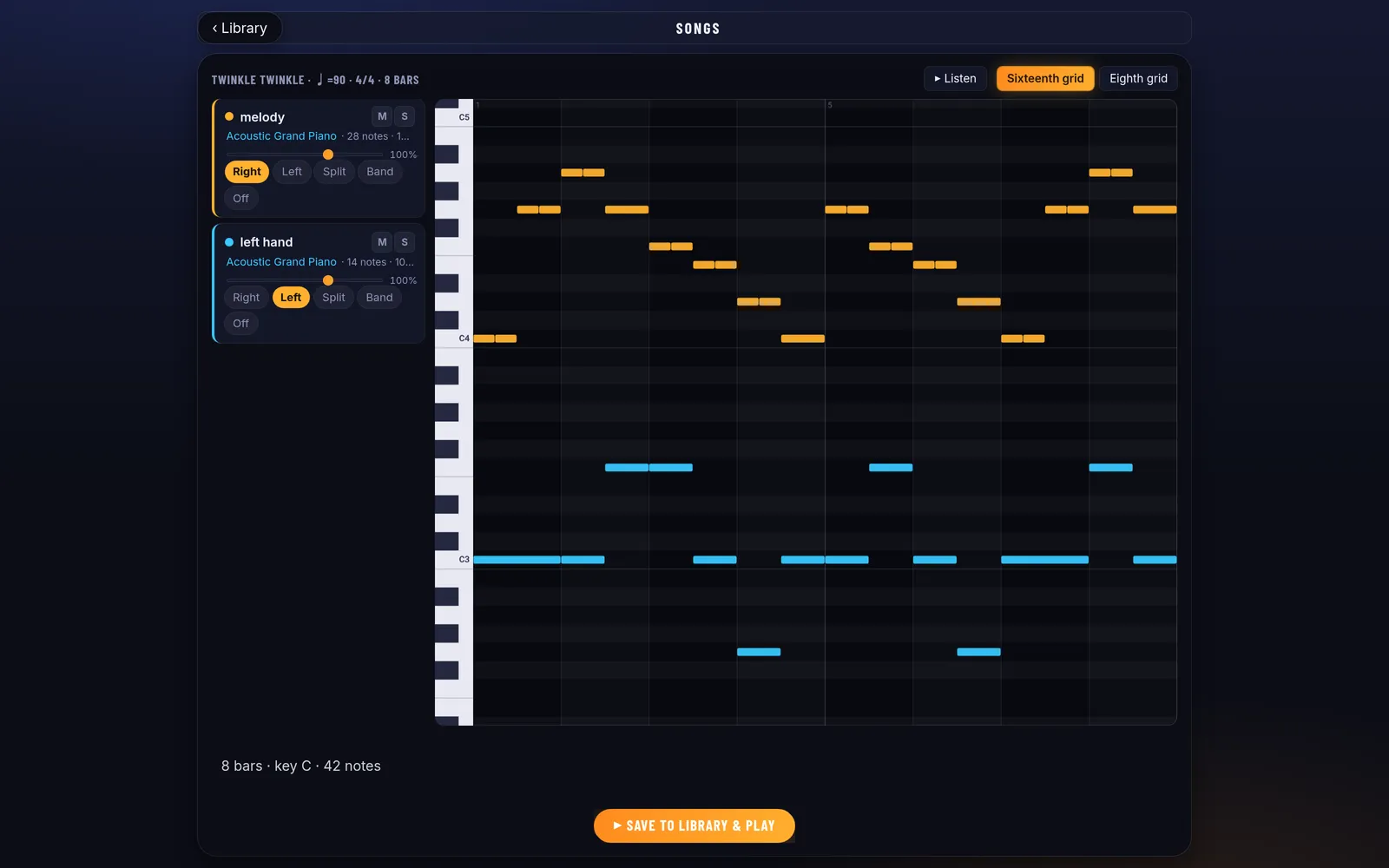
Bring your own songs

Drop in any MIDI file, choose which track each hand plays, and the remaining tracks become your backing band. A few classics come bundled so the library isn't empty on day one.

QuickClef home menu with Sight Reading, Levels, Note Quiz, Chord Flash and Songs modes

The numbers

Accuracy over time, whether you tend to rush or drag, practice streaks, best scores per mode. All of it stays on your device.

QuickClef progress screen with accuracy chart, timing tendency and streak statistics

Pricing

What it costs

Monthly

US$7.99

per month

  • Everything unlocked
  • 7-day free trial
  • Cancel anytime
Start free trial
Best value · save 38%

Annual

US$59

per year, which works out to US$4.92 a month

  • Everything unlocked
  • 7-day free trial
  • Cancel anytime
Start free trial

Google sign-in · payment by Stripe · your card is charged when the 7-day trial ends, unless you cancel first · refund policy

FAQ

Common questions

Do I need a MIDI keyboard?

Anything with USB-MIDI works: a digital piano, a stage piano, a cheap controller. Plug it into your computer or Android device and the browser picks it up. Without one you can still practice note recognition on the on-screen keyboard, but the live feedback is the point of the app.

Does it work offline?

Yes. Install it from the browser and after the first visit everything runs locally: exercises, sounds, songs and your practice history.

What skill level is it for?

Complete beginners start at level one, which is five notes and no ledger lines. The upper levels get into syncopation, sixteenths, chords and two-hand textures, which stay hard even if you've read music for years. You can also skip the levels and configure everything by hand.

Can I practice my own songs?

Yes. Import a standard MIDI file, assign a track to each hand, and whatever is left becomes the backing band. Looping, slow-down, wait mode and hands-separate practice all work on imported songs.

How is this different from piano lesson apps?

Lesson apps teach you pieces, and by the second week you're playing them from memory rather than reading. QuickClef never shows you the same music twice, so the only thing that can improve is your actual reading.

How does the free trial work?

Sign in with Google and everything is unlocked for 7 days. You won't be charged until the trial ends, and cancelling is one click in your account.

Does it work on iPhone or iPad?

Partially. Safari has no Web MIDI support, so live keyboard input doesn't work on iOS. The on-screen modes run fine. For the real thing you need Chrome or Edge on Windows, Mac, Linux or Android.

Find out how well you actually read

Start your 7-day free trial

No credit card needed to look around